Both support photo preparation that you complete yourself, but one is a quick template path and the other is a broader workspace for preparing application files.
123PassportPhoto can be enough when a familiar template, manual crop and 4R sheet cover the job. PassportPhotoBox adds requirement guidance, measurable export controls and separate workflows for application assets.
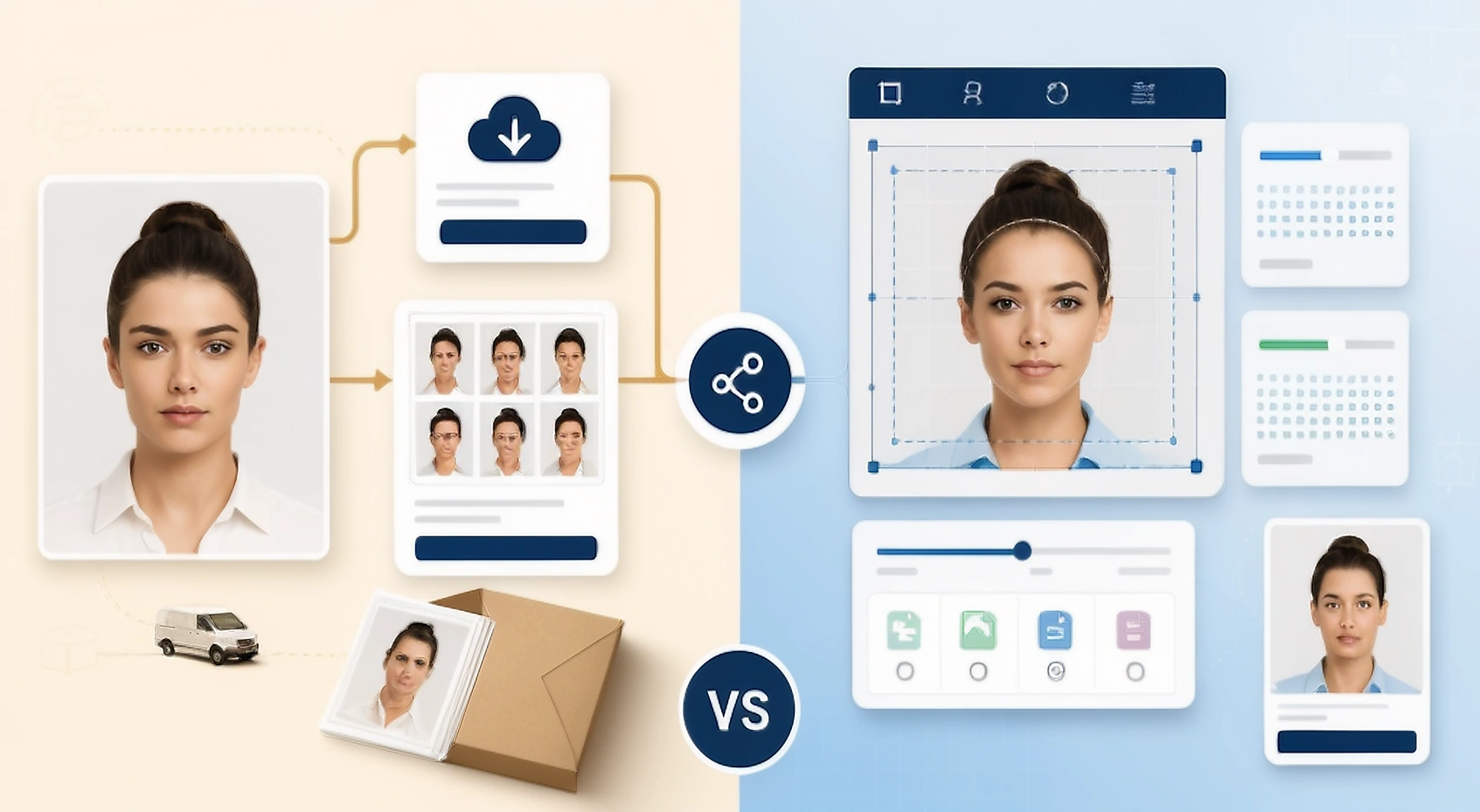
Compare the workflow before comparing the headline
The table focuses on how the source becomes the final digital or printed file, and what remains your responsibility.
| Decision point | PassportPhotoBox | 123PassportPhoto |
|---|---|---|
| Starting point | Choose the requirement, then work in the editor | Choose a country and photo type, then upload a JPG or JPEG |
| Crop workflow | Framing led by the requirement with visible output settings | Automatic face detection followed by manual crop positioning |
| Background | Use only a correction permitted by the current requirement | An optional enhancement that creates a white background is described publicly |
| Print output | Supported print sheet layouts with measurable export | 4R printable sheet described publicly |
| Document coverage | Country profiles plus passport, visa and application workflows | Many country and document templates described publicly |
| Human review | No acceptance decision by a person; you review the result | Not clearly stated on the public page |
| Supporting files | Dedicated tools for signatures, thumb impressions and documents | Not a core workflow for supporting files shown publicly |
Source note: 123PassportPhoto's official public workflow. 123PassportPhoto's public workflow describes country templates, face detection, manual crop, an optional enhancement that creates a white background and 4R output. A human review service is not clearly stated on the public page. Features and terms can change.
Start with the job you need to finish
A guided photo service, a quick template or an editor that begins with the requirement can each be sensible. Choose based on the final handoff and the amount of control the application requires.
PassportPhotoBox fits when…
The application has more than a simple passport photo crop or needs a controlled digital file.
- The upload has an exact pixel and requirement for file size.
- You need separate signature or thumb impression preparation.
- You want to compare the source and output before export.
- The same project needs digital and files ready for printing.
123PassportPhoto fits when…
A straightforward template, manual crop and route for printing at home are all you need.
- You already know the correct country template.
- Manual crop control is enough for the source photo.
- A 4R sheet is the main output you need.
- You are comfortable checking the authority's final rules yourself.
Core Workflow Differences
123PassportPhoto presents a simple path that you complete yourself: choose a country and photo type, upload a JPG or JPEG, use face detection and manual crop controls, then prepare a digital image or printable sheet. PassportPhotoBox adds a workspace that begins with the requirement around the same basic task, with clearer separation between framing, pixel dimensions, compression and preparation of application files.
A short template flow is useful when the target is familiar and the source is already strong. A more structured editor becomes useful when the form gives a strict KB range, asks for several assets or needs a repeatable print layout.
What 123PassportPhoto Does Well
The public workflow describes country and document templates, automatic face detection, manual cropping and an optional enhancement that creates a white background. It also advertises a 4R print sheet and coverage for many countries. The public page does not clearly describe a human expert review step, so that feature should be treated as not stated rather than assumed.
The convenience of a template does not remove the need to check the source image. If the original is blurred, badly lit or missing part of the head, a crop tool can only position the available pixels; it cannot create reliable facial detail.
Where PassportPhotoBox Gives You More Control
PassportPhotoBox is designed for the parts that are easy to overlook after the crop looks right. It keeps the selected requirement visible, supports pixel and file size decisions, offers output and print preparation, and provides separate tools for signatures, thumb impressions and supporting documents.
That wider workflow is helpful for an application packet, but it should not encourage unnecessary editing. Use the smallest safe change that satisfies the current instruction and keep the original available for comparison.
Final Verdict & Recommendation
123PassportPhoto is great for quick self-service template crops. PassportPhotoBox is the better choice for strict portal limits and multi-file packets.
123PassportPhoto can fit when you want a lightweight template and a path for printing at home with manual crop control. PassportPhotoBox can fit when the application has multiple upload fields, strict limits on file size or a need to create several outputs without losing track of the source.
Measure one printed copy before cutting a full sheet, and upload the exported file directly rather than passing it through a messaging app that can compress it again.
Open the EditorWhichever service you use, start with a usable source photograph. Software cannot recover all the detail lost in a heavily blurred or incomplete portrait, so taking another photograph can be safer than forcing a poor source through additional processing.
Common questions about PassportPhotoBox and 123PassportPhoto
Does 123PassportPhoto offer human verification?
123PassportPhoto operates primarily as an automated self-service cropping template and printable sheet generator without human review.
What does PassportPhotoBox add over 123PassportPhoto?
PassportPhotoBox provides requirement-driven profiles, real-time biometric rule checking, granular KB compression controls, and dedicated tools for signature and document preparation.
Which print sheet sizes are supported?
123PassportPhoto primarily creates 4R (4x6 inch) sheets, while PassportPhotoBox supports 4x6 inch, A4, and US Letter sheet layouts with exact dimension scaling.
Open the PassportPhotoBox editor
Choose the requirement first, then crop, check and export the result.